Time tracking shouldn’t be complicated
With WorkTimes you log your work hours, always know your overtime and send your employer a PDF timesheet. Right on your iPhone, iPad and Apple Watch.
What WorkTimes does for you
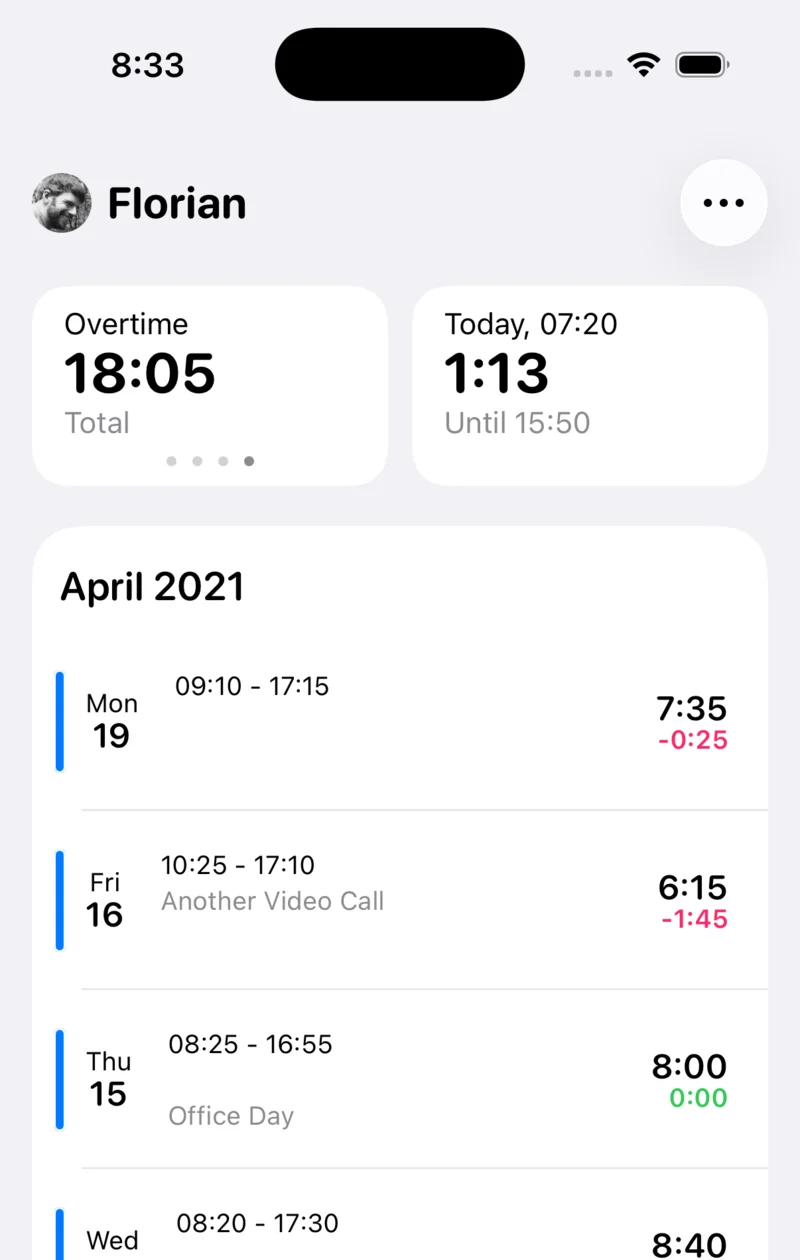
You set your regular hours. WorkTimes calculates overtime and undertime to the minute.
Tap the plus, then Clock In, and you’re clocked in. In the app, on your Apple Watch or with Siri.
At the end of the month you export a ready-made timesheet for your employer.
Your overtime, always up to date
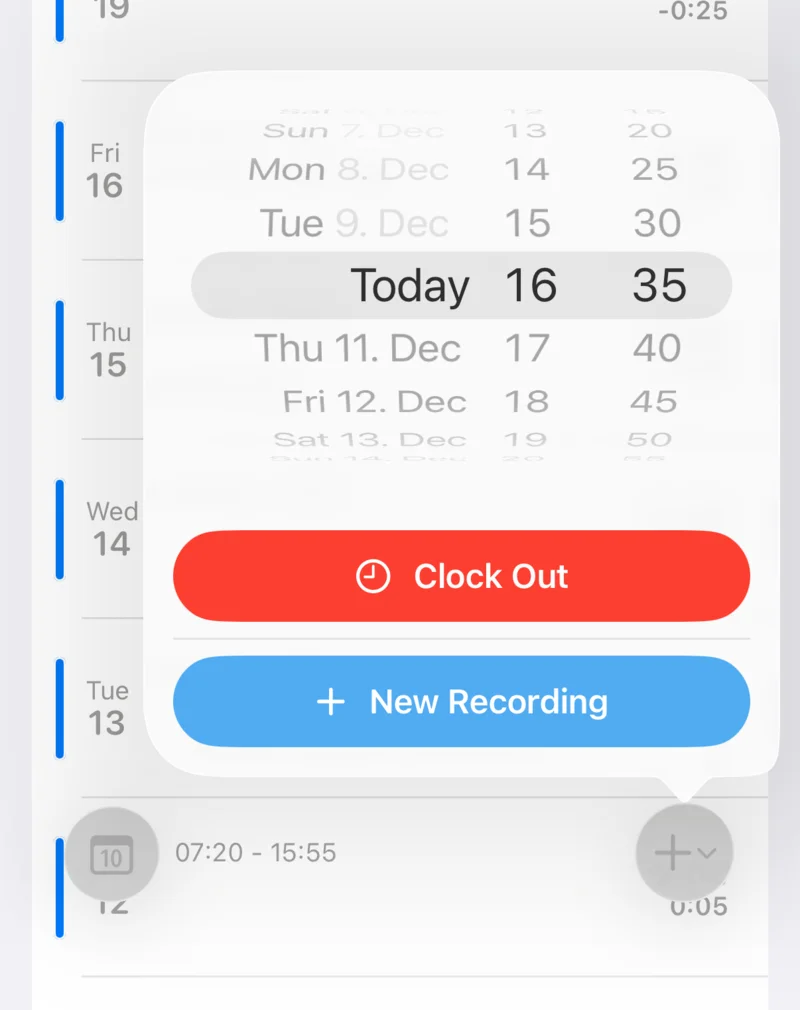
Fixed hours or flextime: you enter your regular hours per day, week or month. After every workday, WorkTimes shows you where your overtime stands.
- Clock in and out in the app, on your Apple Watch or with Siri
- Record overtime that was paid out or taken as time off
- Preset breaks and regular working hours
- Reminders to clock in and out
Reports by week, month and year
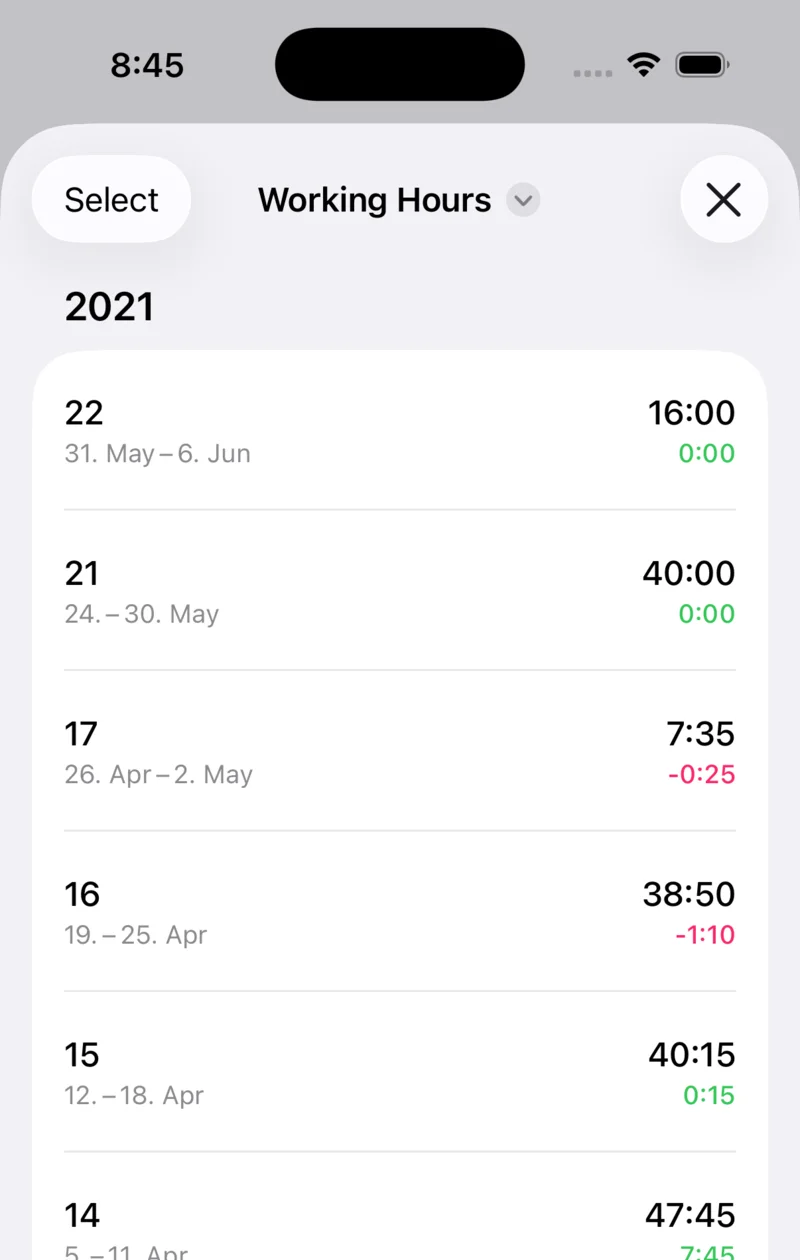
How much did you work this month, and how much of it was above your regular hours? WorkTimes compares working time, regular hours and overtime for any period. With tags you also see how much time went to projects or clients.
Vacation, sick leave and holidays
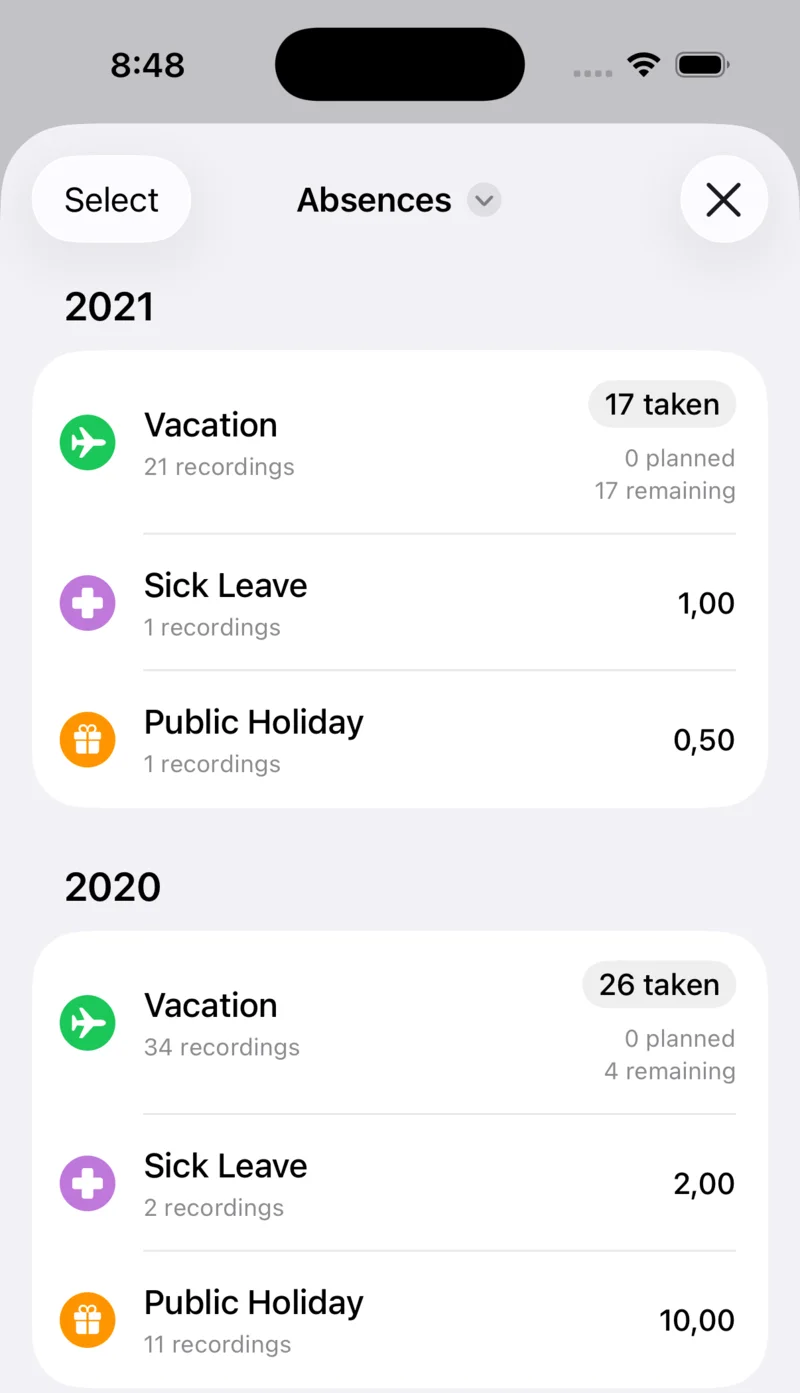
Enter your annual leave, and WorkTimes shows how many vacation days you have taken and how many remain. You can carry unused days over into the next year. You record sick leave and public holidays the same way, and you can add your own entry types.
The timesheet for your employer
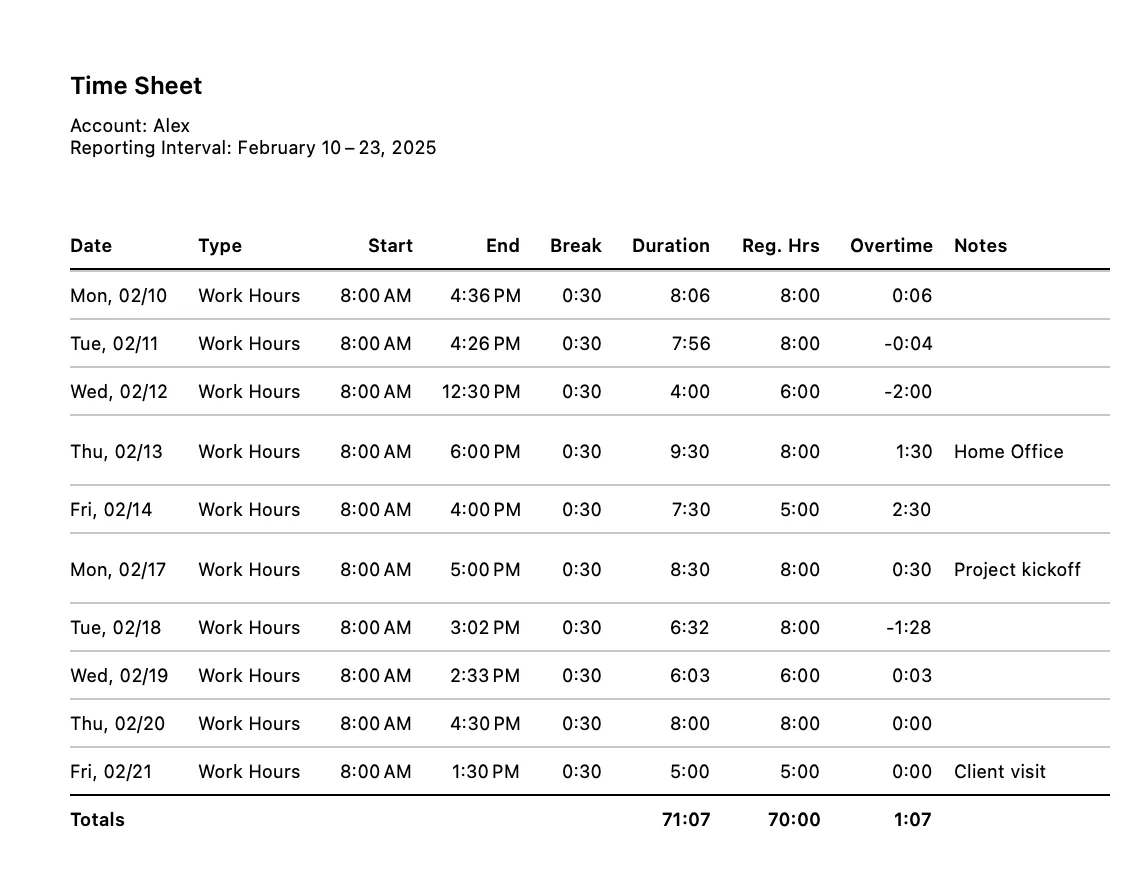
Choose a period, and WorkTimes creates a clear PDF with working time, breaks, regular hours and overtime. For spreadsheets there is a CSV export as well.
Good to know
- Since 2009
- On the App Store for more than 15 years and continuously improved.
- Made for employees
- For people with fixed regular hours or flextime who want to keep track of their own working time.
- No sign-up
- No registration, no sign-in. Download the app and get started.
- Your data
- It stays on your device and is backed up to your iCloud automatically.
- Several accounts and jobs
- Two jobs, or hours for someone else? Track them separately in one app.
What users say
4.6 out of 5 stars from almost 8,000 App Store ratings. Many people have used WorkTimes for years.
Used daily
“I love this app! My payroll department is completely overwhelmed, so I use this app every working day to record my working hours, overtime, vacation days, and allowances.”
Simply perfect
“I’ve been using the app for 5 years now and can’t find a single criticism. The heart and soul that goes into it are noticeable with every update. Thanks for that!”
The absolute best overtime app
“There is nothing better than to log your overtime or your services.”
Top app for working time recording
“Often such apps are for self-employed or freelancers. This one is also suitable for regular employees. Easy entry and overview, backup of data, export... Everything you need. Top app! 👍”
Very happy
“I’ve been using WorkTimes since 2011, and I’m really happy with it. It helps me keep a good overview of my overtime and vacation.”
The best
“WorkTimes has the best user interface among all overtime apps. Nice and clean look!”
Fantastic
“I have been using this app for several years it is updated regular and has everything I need to log my work hours.”
Easy to use and give me exactly what I need
“There are a lot of time apps in the store but so much rubbish. This one is easy to look at and use. It tells me my overtime and lets me export it. Inputting data is easy. Editing data is easy. I can highly recommend this App.”
Excellent time tracking
“Excellent App. I have used it for several years and it just keeps improving.”
Excellent time tracking app
“After trying out several time tracking apps, this is by far the best and most user friendly I've used. I use it to track my work times and leave. Produces excellent reports. Highly recommended.”
Pricing
Try WorkTimes for free. If it fits, you need WorkTimes Plus.
Free
$0
All features for a total of 5 days with time entries, across all accounts. Your entries stay afterwards.
Plus monthly
$3.99 per month
Unlimited time tracking for unlimited accounts.
Plus yearly
$29.99 per year
Unlimited time tracking for unlimited accounts, about $2.50 per month.
After your 5 free days, you can try WorkTimes Plus free for 7 days. Cancel anytime. Prices for the US, they may vary based on your location.
For businesses
Contact me if you want to buy subscriptions for several employees.
Frequently asked questions
What is WorkTimes?
WorkTimes is a time tracking app for iPhone, iPad and Apple Watch. You clock in and out or add your hours afterwards. WorkTimes calculates your overtime and keeps track of vacation, sick leave and public holidays.
How does WorkTimes calculate my overtime?
You set your regular hours per day, week or month. WorkTimes compares them with your recorded time and keeps track of your overtime automatically. You can add overtime that was paid out or taken as time off by hand.
Does WorkTimes work with flextime?
Yes. With flextime, what counts is that your overtime is right at the end of the week or month. WorkTimes always shows your current overtime and reports your working time by week, month and year.
Can I export a timesheet for my employer as a PDF?
Yes. You export your hours for any period as a PDF or CSV and send the timesheet straight to your employer by email or messenger, or keep it for your records.
Can I track vacation, sick leave and public holidays?
Yes. You record vacation, sick leave and public holidays right next to your working time. Set your annual leave and WorkTimes calculates the days you have left. Carryover leave into the next year with an expiry date, such as March 31, is possible too.
Can I track several jobs separately?
Yes. For each job you create a separate account with its own regular hours, for example for your main job and a side job. Each account has its own reports and exports.
Can I clock in with Apple Watch or Siri?
Yes. You clock in and out right on your Apple Watch, with Siri or with Shortcuts. Widgets show your working time and overtime on the Home Screen and Lock Screen.
Is WorkTimes free?
You can use WorkTimes for free for a total of 5 days with time entries, across all accounts. For unlimited time tracking you need WorkTimes Plus, with a yearly or monthly subscription, which you can try free for 7 days. Prices may vary based on your location.
Is there a version of WorkTimes without a subscription?
No, and that is a deliberate decision. The subscription pays for ongoing development, updates for new iOS versions and support. That is how WorkTimes has been around since 2009, and many users have been with it for years. You can cancel the subscription anytime in your Apple ID settings.
Where is my data stored?
On your device. You don’t need to register or sign in. WorkTimes backs up your complete database to your iCloud automatically, for example once a week. Your data is not synced between iPhone and iPad.
Can I buy WorkTimes for several employees?
Yes. Businesses and schools can buy WorkTimes Plus through Apple Business or Apple School Manager and assign licenses with their device management service (MDM). Here's how it works: Buy WorkTimes Plus for your organization. If you have questions, write to [email protected].
Search the App Store for WorkTimes
5 days free.